


СiviAppointment extension: how a new CiviCRM upgrade can benefit users
Every non-profit organization needs a reliable system to manage contacts, set up meetings, and book them for other participants. CiviCRM is specifically designed to make interactions easier and hassle-free. Its new extension, CiviAppointment, allows users to create various types of meetings and book them for required contacts.
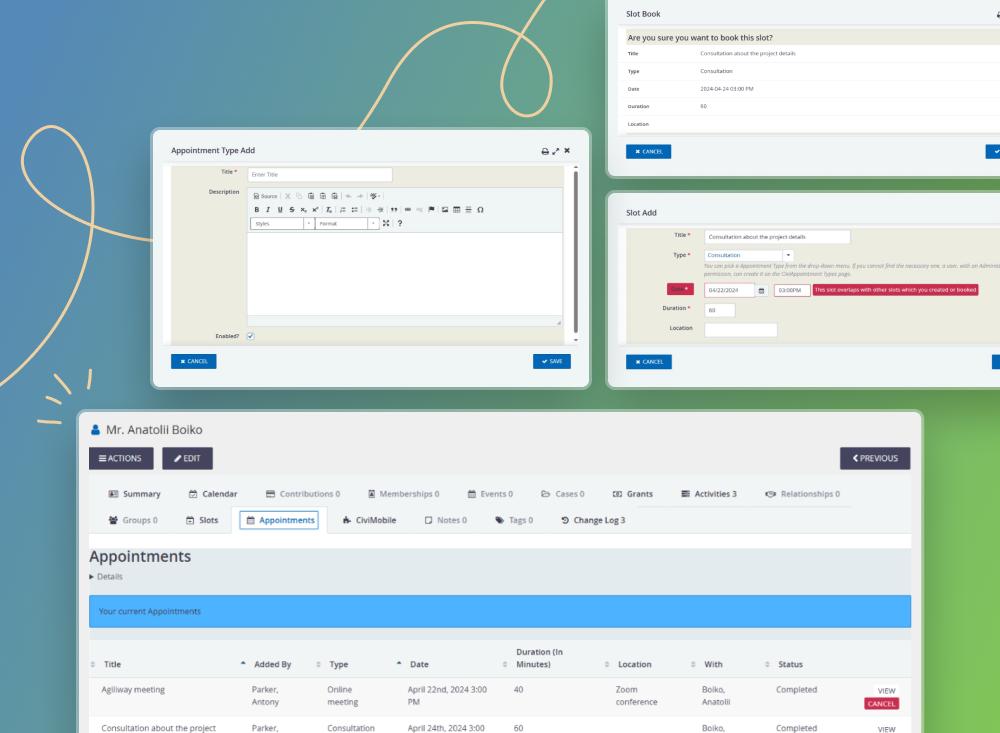
The appointments in the new extension are reserved for chosen contacts on a required date and time. You can create slots for individuals, organizations (non-profit), or households (usually families with a single physical location), edit them, and monitor upcoming meetings. Let’s learn how to do it in a few clicks.
A few words about system permissions
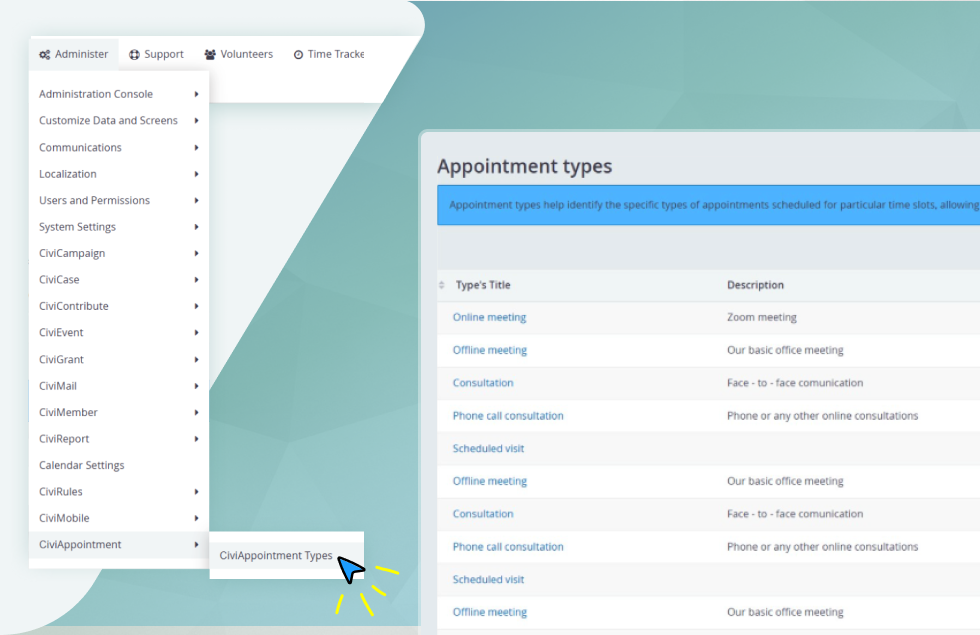
You first need to install the CiviCRM extension and gain access to the chosen user roles. Before creating appointments, check whether you have activated all the required permissions. Then, go to the CiviAppointment tab from the “Administer” panel. The following options are the minimum must-haves for accessible work: “view all activities,” “view all the contacts,” “edit my contacts,” “access all custom data” (to create slots), and “delete activities” (to delete slots). “Book a slot” and “cancel appointment” permissions will give access to booking and canceling events for other contacts from your list.
How to assign appointment types?
To create the appointment type, go to the Administer panel and fill out a special form with the title and description. Here, you can add, edit, enable, and delete them (e.g., online or offline meetings, phone calls, scheduled visits, etc.). A convenient sort system allows you to classify the list of events by type or conditions (enabled or not).
Important! You can’t delete the appointment if an active booking slot is created with this type. A warning will appear on the screen.
Now, when you have completed creating your possible appointment types, move to the next stage and make a booking slot.
Let’s make your first appointment
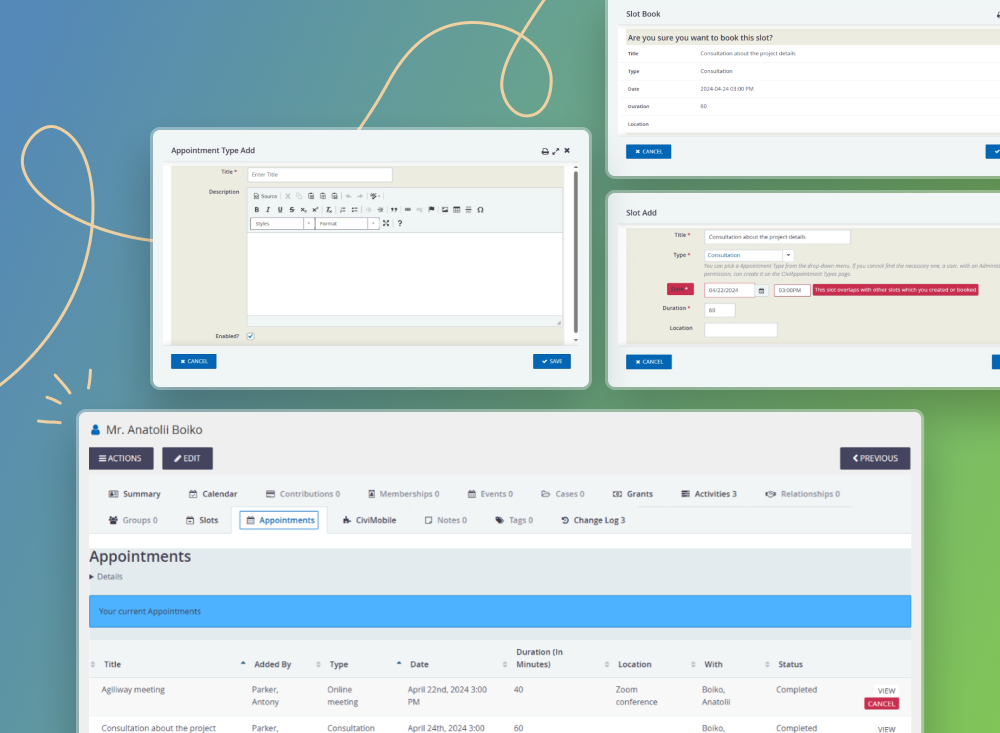
Enter the “Slots” tab in your CiviCRM profile to create a new meeting for your contacts. You can choose only appointment types that already exist and are enabled. This section allows you to add, edit, delete, or filter existing ones by Title or Location. To create a new slot, you should press the “Add” button and fill in the Title, Type, Date, and Duration fields (in minutes) and Location (e.g., Zoom conference) in the pop-up.
The system warns the user about creating slots assigned at the same time as already existing and booked appointments. This limitation helps to avoid overlapping and possible scheduling issues.
Created slots are displayed by default according to the completion date. Meetings closest to expiration are shown above others in the list. You can find the required event by filtering by period or using A-Z sorting. The system also allows searching by other suitable criteria, like title, type, location, and duration.
How do you book an appointment for a particular contact?
You should go to the profile of a required user and access the “Slots” tab. Choose a necessary date and time from the list of available slots, and press “Book” (the only button available for other contact’s accounts). Further, this action can be confirmed or canceled when you get familiar with a detailed description concerning a meeting. If a contact already has a booked appointment that overlaps with the time of a new one, the action won’t be completed. For example, if Mary has already subscribed for an offline meeting on May 25th, 2024, at 2 PM with a 60-minute duration, CiviCRM won’t allow booking a phone call consultation for her at the same time and date.
Users should open the “Appointments” list to view all the booked slots. Here, they can filter meetings (by title, date, and location), learn detailed information, and cancel them if necessary. All the abandoned appointments will become active and available for new bookings in the “Slots” tab.
The bottom line
CiviAppointment extension is made to simplify scheduling for the only contacts within a non-profit organization. This CiviCRM component allows you to add diverse types of meetings and book them for individuals, households, or companies, eliminating the risk of overlapping with another event. Moreover, you can continuously stay updated about upcoming interactions without missing them in a busy work schedule.
CiviCRM is constantly enhanced with new components and extensions, allowing its members to manage relationships more effectively. Stay updated on advanced CiviCRM functionality and discover new possibilities for optimizing interactions within and beyond your company.
READ ALSO: CiviCRM Time Tracker: let the app do the work for you
