


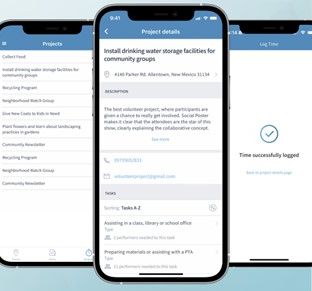
CiviMobile’s new release: Meet the Most Anticipated Time Tracker Feature of 2024
In the ever-changing landscape of nonprofit management, choosing a user-friendly CRM with smooth operation is becoming increasingly challenging. Today, one of the top positions is held by CiviMobile. It is a user-friendly solution with responsive support, trying to give users the best experience. The team constantly delivers new features, including time tracking, project administration, and browsing application content. Learn more and explore how it covers most organizations’ needs.
CiviCRM Time Tracker: let the app do the work for you
CRM for nonprofits is an invaluable asset, especially if most of its functionality is not limited to the desktop version. It improves communication between all members and optimizes resource management. The main benefits of using CiviMobile Time Tracker are that your sales, marketing, and customer service will always run at full capacity.
The feature allows you to keep track of a list of all projects and find the right one quickly and conveniently. Interestingly, performer assignment and time logging resemble popular product management services. For those familiar with their concept, it will be apparent that there is no better for projects. And this functionality was put into CiviCRM!
The security of CiviCRM Time Tracker is what sets it apart
CRM always has a significant amount of sensitive data. Therefore, while obtaining remote access is advantageous, security must be taken into consideration. If the smartphone is left unattended in the incorrect location, all data might be exposed. Some organizations choose to maintain additional security by separating CRM onto a standalone host/server from their website or having a system behind the firewall in their LAN.
However, maintaining privacy and protection from possible attacks depends on continuously releasing improvements and updates. One of them is CivCRM content accessibility for a specific user role. For example, in web mode, Admins have an enhanced ability to manage CRUD operations in the Projects tab. They review and edit information not displayed to others (such as project types). They can also predefine permissions for other team members.
The average users have limited functionality. For example, they can view the Projects tab and enter the hours. The Manager or Owner has a broader list of capabilities regarding assigning performers, managing tasks, time logging, etc.
Management also depends on the software
Project management best practices are built on detailing the tasks at hand. CiviMobile steadfastly follows this rule, providing convenient functionality for members of non-profit organizations. If, for example, you lead a foundation or charitable organization, you must properly distribute a considerable number of activities among your staff. But first, it’s worth understanding what kind of projects a particular specialist will be able to service. For that, let’s dive deeper into CiviMobile’s new functionality.
Here’s how you can manage projects in CiviMobile Time Tracker:
1. Open the Projects tab and try to filter by campaign type. If the system does not find a match in a given combination of characters, it will display a message that nothing is found.
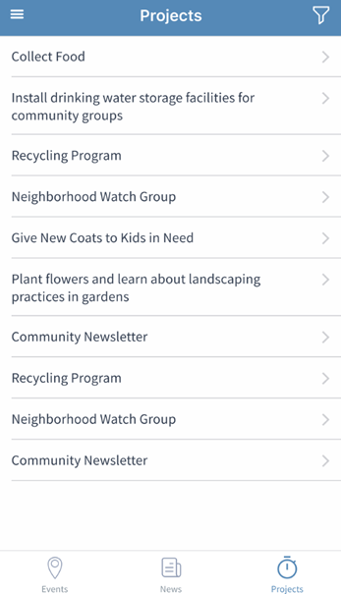
2. Click on the project name to view details. You can also go back to the preset list if you are unsatisfied with the task description or other settings.
3. Once you find the project you want, familiarize yourself with its performers. Experienced managers know which tandem of team members can be an explosive mixture and who, on the contrary, is the best example of effective collaboration.
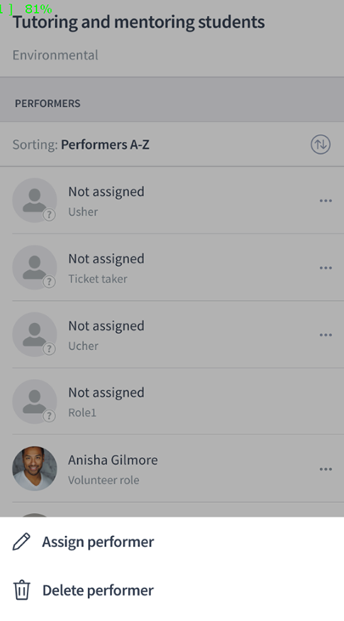
4. With Administrator, Manager, or Owner rights, you can assign a task to a specific person and track the time of its completion.
Well, short instructions are helpful because they allow you to get the point across quickly. To summarize, CiviMobile displays the organization’s projects as a list, where you can find the right one by name or campaign type. By default, all records are sorted in alphabetical order for easier navigation.
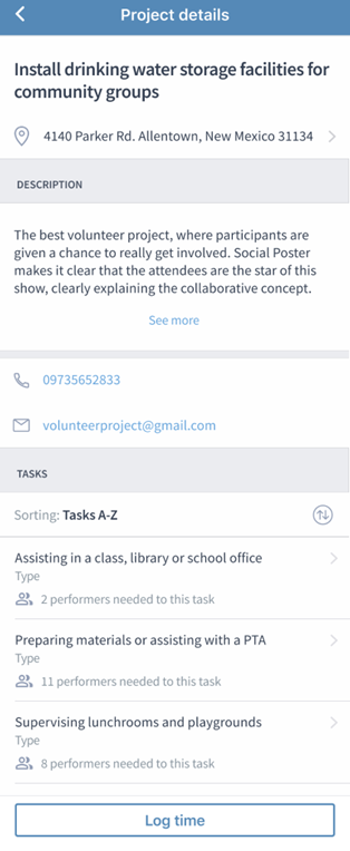
The project details contain the location, phone number, email, tasks, time tracker, and names of executors. A non-trivial feature of CiviMobile is getting directions by clicking on a Location. The event organizer’s phone number and email are also available for calling and texting, respectively.
How do I manage tasks in CiviMobile Time Tracker?
Users noted the ease of task management in CiviMobile when beta testing the new functionality. This section provides the possibility of applying different filters to search for a record. Among other things, the name of the assignment is a description of the action to be performed. You will not see a warning message about exceeding the limit of the number of characters used, as the creators of CiviMobile took care of convenient viewing of full names.
The task details contain the deadlines, duration, and performers. This data can be easily edited in the web version; for example, you can extend the execution period, remove specialists, or add new ones. If many employees perform the task, it is worth applying alphabetical filtering for the search.
To view their profiles, click on the user names. When you select a performer, the system will display a list of all available for the current project. By the way, if you’d like to give a piece of work to a certain team member repeatedly, you will not be able to select them. It is necessary to make sure profiles are original and not duplicated. You can add a new executor via CRM on the web application only.
CiviMobile Time Tracker – why is it so good?
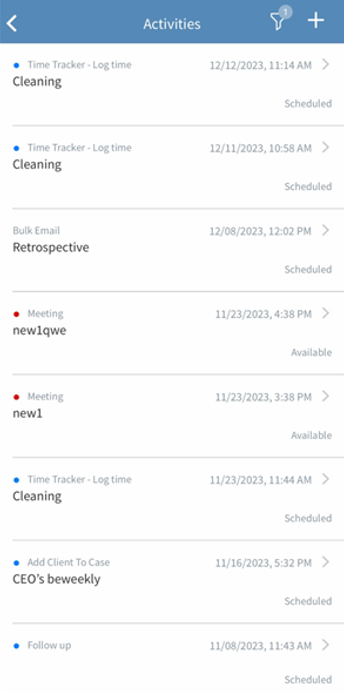
The convenience of the CiviMobile Time Tracker lies in its simplicity. Users can enter the hours other participants have spent on a project. However, they cannot record their own time allotted to them for fulfillment.
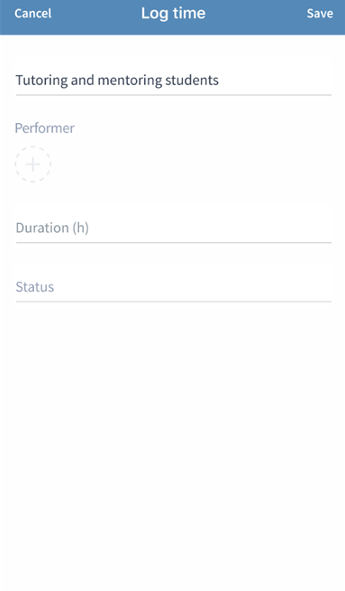
Please note that the Task, Performer, and Duration fields are mandatory to keep a Time Log. The sequence in which they are filled out is also essential: the task must be chosen first. Until the user does so, the other inputs will remain disabled. We also suggest changing logging statuses to understand the completion stages better.
Let’s summarize
The release of CiviMobile in 2024 is crowned with the successful implementation of essential project management practices placed into the new Time Tracker feature. Creating, searching, reviewing details, maintaining tasks, tracking timings, and assigning an executor help nonprofits make their work even more efficient. By the way, the application’s creators also decided to improve the security of projects by adding the ability to view, create, edit, and delete the content of the Projects tab, depending on the role.
Keep track of release news. See you soon, and enjoy using CiviMobile!
With love, your CiviCRM team.
