


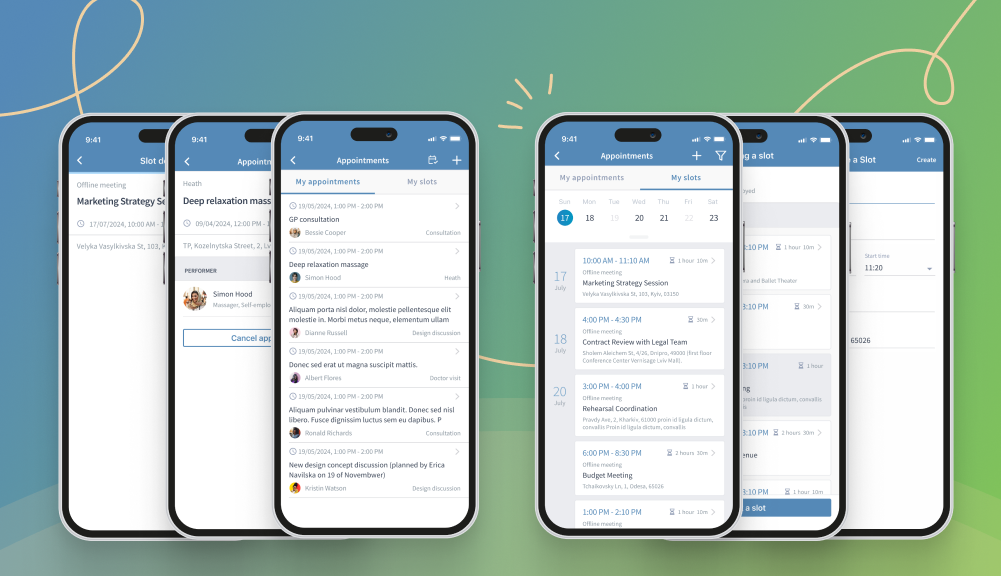
The latest CiviMobile 8.1.1 brings the CiviAppointment Feature for effortless appointment scheduling
The latest update to CiviMobile, version 8.1.1, expands mobile functionality by adding the much-anticipated CiviAppointment feature, enabling users to efficiently manage and schedule appointments from their mobile devices. Nonprofit organizations should adhere to clear meeting planning or risk drowning in chaos. CiviMobile has created functionality to track appointments and book them with different contacts. This article will examine how the CiviAppointment tab works, simplifying time management and eliminating record duplication.
A new extension to the app allows you to reserve slots in the schedules of specific contacts. For example, you can create appointments with organizations, households, or individuals in a few clicks. And here’s how to do it.
Where to start?
After logging in to the CiviMobile app, go to the “Appointments” tab on the sidebar. It contains two sections: “My appointments” and “My slots.” In the first tab, the list consists of booked appointments. Here, you can find their brief description: contact, name, date, and type of meeting. In addition, you can filter options by these critical parameters. Canceling an appointment is just one click away by going to the details form page. To minimize errors caused by human factors, the system asks for confirmation of the deletion beforehand.
You should go to the calendar in the “My slots” tab to track the schedule with brief info about each event. Here, you can create different types of appointments, edit, delete, filter, or view them in a convenient format. When you click on a particular day in the calendar, the system will display a list of your affairs. By the way, other team members will be able to book a meeting based on your availability.
How to book an appointment?
The CiviMobile app has a clear and simple interface, so booking an appointment is easy. To do so, go to the “My Appointments” tab and click on the calendar icon in the top right corner. The screen will display a list of contacts with free slots: you can book a meeting with them or find the right person (organization) using the search box. While navigating by the desired name, the system will display their details and dates when they are available.
Once you click on one of the options, a popup will confirm booking the appointment. In addition, it will disappear from the list and appear in the “My Appointments” tab. This way, you can track upcoming consultations in which you need to participate.
How do you create your own slot?
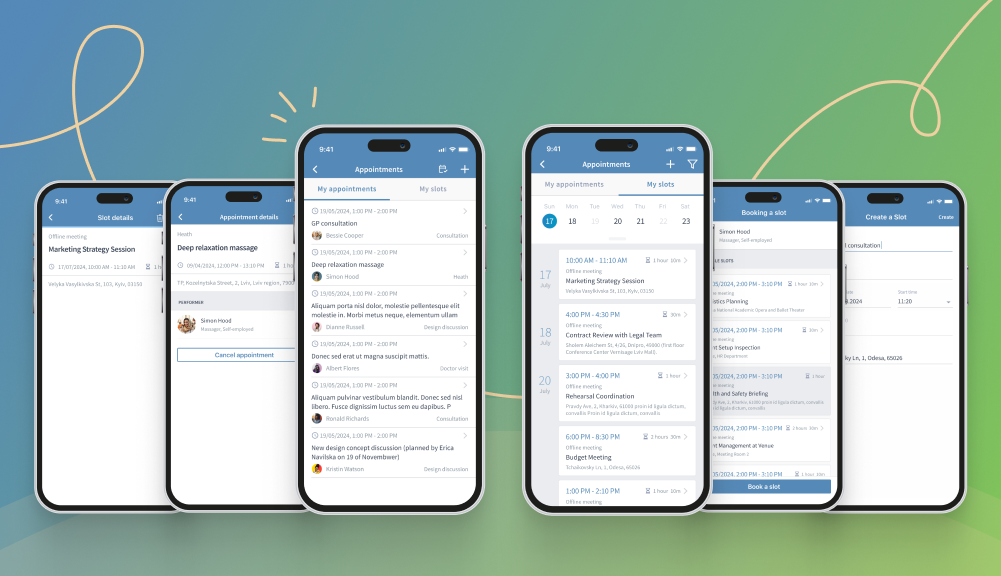
Creating slots in CiviMobile is as simple as booking appointments with other contacts. You can see your schedule under the “My Slots” tab. Filter the appointments in it by type – this will help improve planning. If your day contains any slot available for others to book, its presence will be indicated by a dot below the date. After clicking on such a day, the system will display the details of the appointments with the option to go to each one.
To create your own assignment, click on the plus icon. The form contains several fields that won’t take much time to fill out. So, you’ll need to write the meeting’s name, set the day and time, and specify the location. To view the details of a new slot, edit or delete it – you need to click on it in the list of available slots. The pencil icon initiates the opening of a screen with duplicate fields contained in the creation form. The basket icon calls the popup to confirm the delete action.
Specific types of validations when creating assignments and slots
Nonprofit organizations need to deal with the chaos of meetings. It is challenging to do so if the staff of participants is constantly growing and there is no way to control the actions of each of them. That’s why CiviMobile has validations in place to eliminate human error. One important validation is disallowing attempts to create slots for the past period. Also, you cannot duplicate a slot on the same day and time if the one already exists.
On such actions, the system will display messages saying that the operation cannot be performed because it conflicts with other operations. The app’s mobile version allows setting a time before the meeting starts when it becomes impossible to cancel or reserve a slot. This way, you can avoid confusion and eliminate cases of overlapping appointments.
Conclusions
The new Appointments functionality in the CiviMobile app dramatically improves the interaction of system clients within a nonprofit organization. It is organized quite simply because it contains all the necessary tools for time management.
You can create custom slots that your team members will see. In turn, they will be able to book a meeting with you or vice versa, you can find the right one among your contacts and reach them on a specific day and time. CiviMobile is built easily, conveniently and without any complicated interaction schemes. Use it with pleasure!
READ ALSO: СiviAppointment extension: how a new CiviCRM upgrade can benefit users
